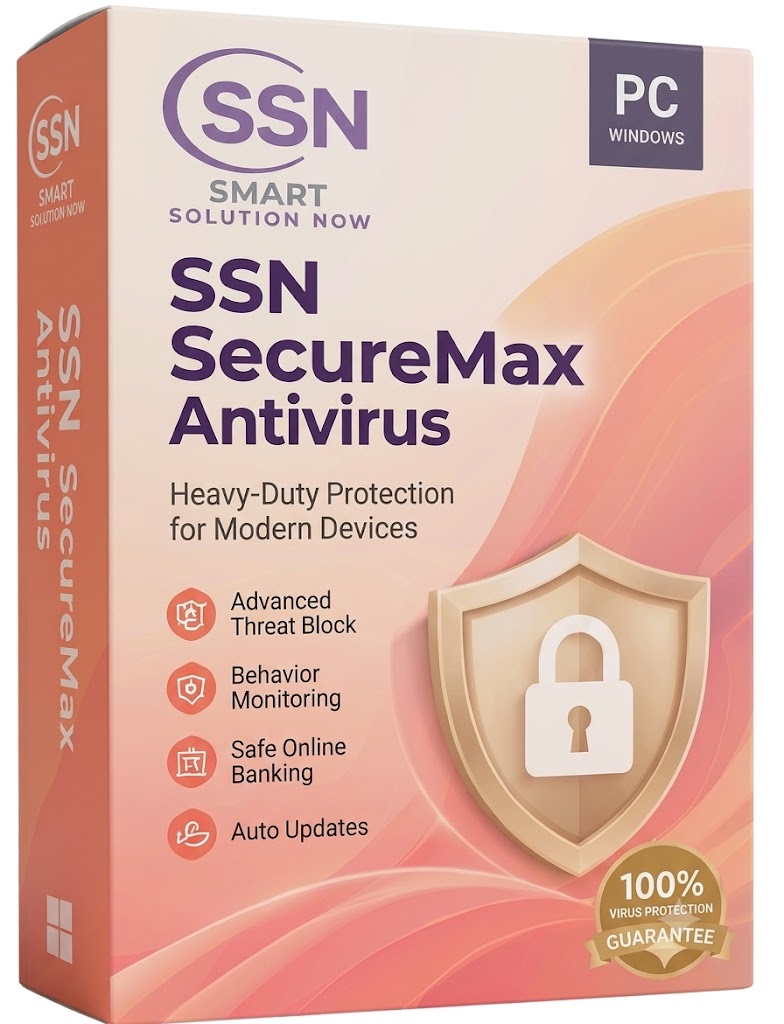
SSN SecureMax Antivirus
SSN SecureMax Antivirus
Experience Warmth and Security with SSN SecureMax Antivirus for PC
What is SSN SecureMax Antivirus?
SSN (Smart Solution Now) SecureMax Antivirus is a reliable, heavy-duty security solution crafted explicitly for Windows PCs. It runs silently in the background to provide "Heavy-Duty Protection for Modern Devices," ensuring that your personal data, online banking, and system hardware are shielded from the ever-evolving landscape of digital threats.
Core Security Features: Your Digital Safety Net
-
Advanced Threat Block: Stopping Danger at the Door Don't let malicious files compromise your machine. Advanced Threat Block serves as your primary defense layer, proactively scanning and stopping viruses, ransomware, and malware before they have the chance to execute and cause damage to your files.
-
Behavior Monitoring: Outsmarting Sneaky Software Sometimes, new malware tries to disguise itself as a normal program. Our Behavior Monitoring acts as an active watchdog, keeping a close eye on how your applications are running. If a program suddenly tries to access sensitive system files or behave erratically, SecureMax instantly shuts it down.
-
Safe Online Banking: Protect Your Hard-Earned Money Online shopping and banking are everyday necessities, but they shouldn't be risks. This feature creates a highly secure, encrypted browser environment whenever you handle financial transactions. It completely blocks keystroke loggers and network snoops from stealing your credit card details or passwords.
-
Auto Updates: Always One Step Ahead Cyber threats mutate daily, but keeping your PC safe shouldn't require manual chores. SecureMax relies on Auto Updates to silently download and install the latest virus definitions and security patches in the background, ensuring your defense is always current without interrupting your day.
Why Choose SecureMax for Windows?
-
Tailored for PC Windows: SecureMax is fully optimized for the Windows operating system. It provides maximum security while maintaining a minimal footprint, meaning your PC stays fast, responsive, and ready for work or play.
-
100% Virus Protection Guarantee: Displayed prominently with our trusted blue-ribbon badge, we stand behind our software. This guarantee gives you the absolute confidence that your device will remain completely virus-free under our watch.
Frequently Asked Questions (FAQ)
Will this software make my computer run hot or slow? No. SSN SecureMax is engineered to be lightweight and efficient. Because it is optimized specifically for Windows PCs, it performs its heavy-duty monitoring in the background without draining your system resources or slowing down your everyday tasks.
Do I have to turn on the Safe Online Banking feature manually? Safe Online Banking is designed to be smart and intuitive. When it detects that you are navigating to a known financial institution or a secure checkout page, it automatically prompts you to open the secure environment, ensuring your financial data is never exposed.
Is it difficult to install? Not at all. SecureMax is designed with the same user-friendly philosophy as its warm pastel packaging. The installation process is quick, automated, and requires no technical expertise to get your PC fully secured.
Product features
Product features
Materials and care
Materials and care
Merchandising tips
Merchandising tips
Share